
Review statuses show where a performance review is in the lifecycle, from AI-draft creation through final employee acknowledgment. Individuals in leadership roles can use the "Appraisals" page to quickly understand where their team's reviews stand and ensure the process stays on track.
In this article, we’ll walk through how to access the Review Status page and explain what each review status means.
This article contains the following sections:
This article is relevant to: HR, Admins, Managers
Feature: Reviews
Role-Based Visibility
Access to review status information depends on your role in the review cycle.
-
Managers can see the status of performance reviews for their direct reports.
-
HR and Admins can view review statuses across the entire organization.
This ensures managers have visibility into their team’s review progression, while HR and Admin users can monitor status at a company-wide level.
How to Track Team Review Status
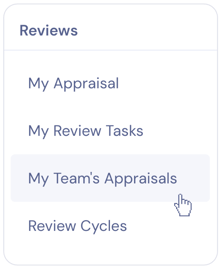
- Click the Reviews icon in the left-hand navigation.

- Select My Team's Appraisals.
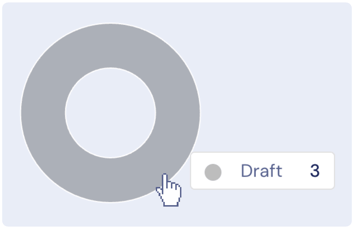
- You're now on the Appraisals page. At the top of the page, you’ll see an Approval Status circle graph that displays the distribution of review statuses across everyone whose reviews you can access. This allows you to monitor overall progress and spot any reviews that may require attention.
- In the Status List, you’ll see a list of performance reviews for your team, along with each review’s current status. Refer to the next section for an explanation of each status.

💡Tip: Click on a participant's row in the Status List to open their performance review.
Understanding Review Statuses
- Draft: Zal has generated an AI draft of the employee’s performance review based on submitted self, peer, and upward reviews, along with additional data from across the platform. In this stage, the manager will review, edit, and submit the draft to HR for approval.
- In Review: The manager has submitted the review, and it is awaiting HR calibration and approval. In this stage, HR typically holds calibration sessions to ensure feedback is accurate, appropriate, and consistent. If needed, HR may return the review to the manager for revisions.
- Approved: HR has reviewed and approved the performance review. It is ready to be shared with the review participant. In this stage, the manager should hold a final meeting to discuss results with each direct report. Results can be shared before, during, or after this meeting based on preference.
- Published: The review has been shared with the employee. In this stage, the employee should view the finalized review results and acknowledge receipt.
- Acknowledged: The employee has confirmed receipt of the review. The review process is complete.